Wharfly: Supply Chain Solution
Know what to reorder, order it, receive it, pay for it and count it. Wharfly runs inside your Shopify admin and is built for phone sized screens.
The version on Shopify today does not have the plans below. The new version is coming. The button opens the current version in the Shopify App Store.
One job, from reorder to shelf
Buying stock has five steps. Wharfly keeps them in one place.
Reorder
See what to order and by when.
Order
Make and send the purchase order.
Receive
Count goods in, in full or in part.
Pay
Record the bill and the payments.
Count
Check the shelf against Shopify.
Walkthrough
Screens with sample data.
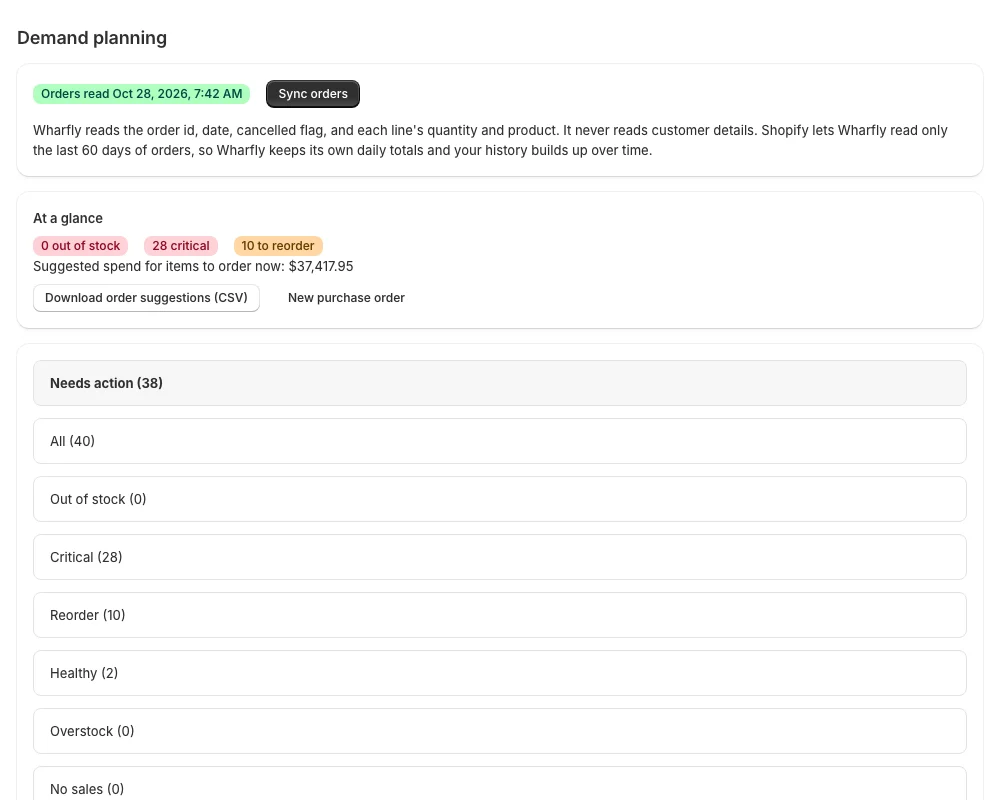
Know what to reorder
Demand planning turns your recent sales into a reorder quantity and an order by date for each product, with the sums shown. Download the list as a CSV file.
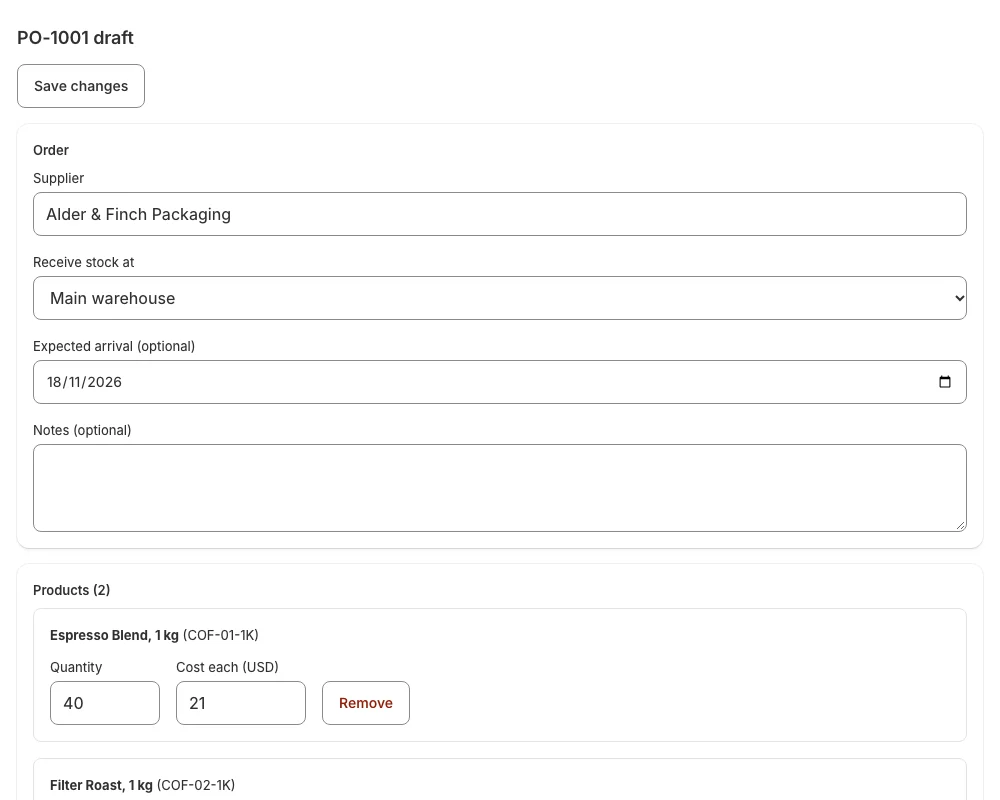
Order it
Make a purchase order in Wharfly: choose a supplier and a location, add products by SKU or barcode, set quantities and costs, and send it. Wharfly sends no email; the email button opens a message in your own mail app.
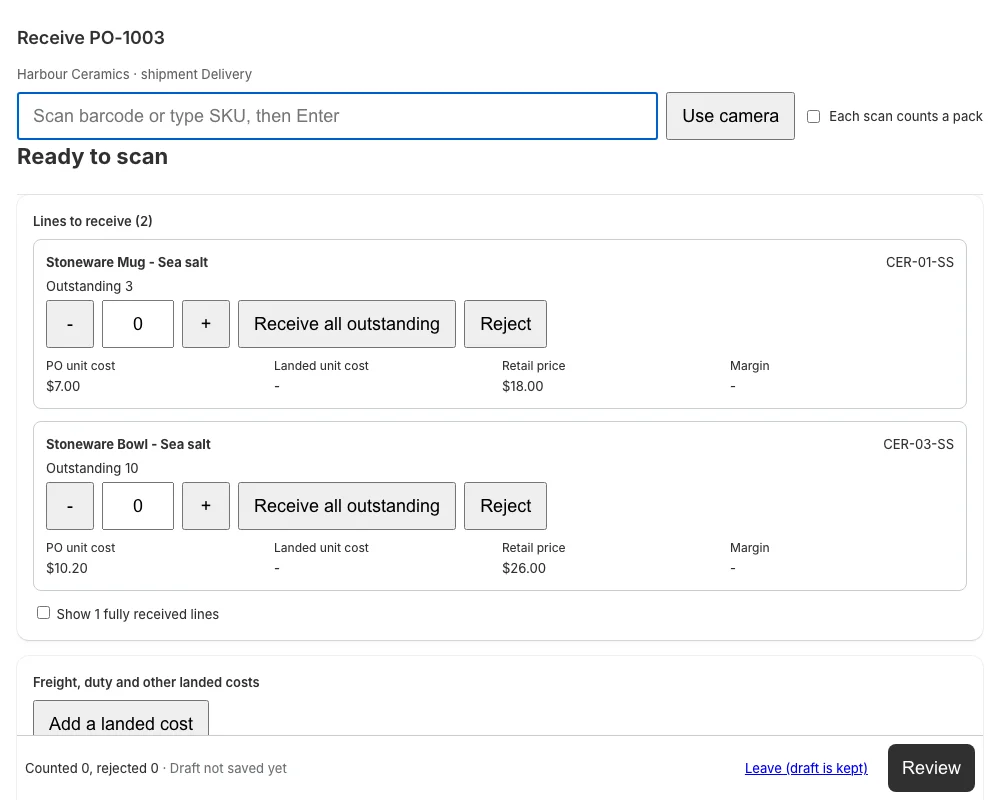
Receive it
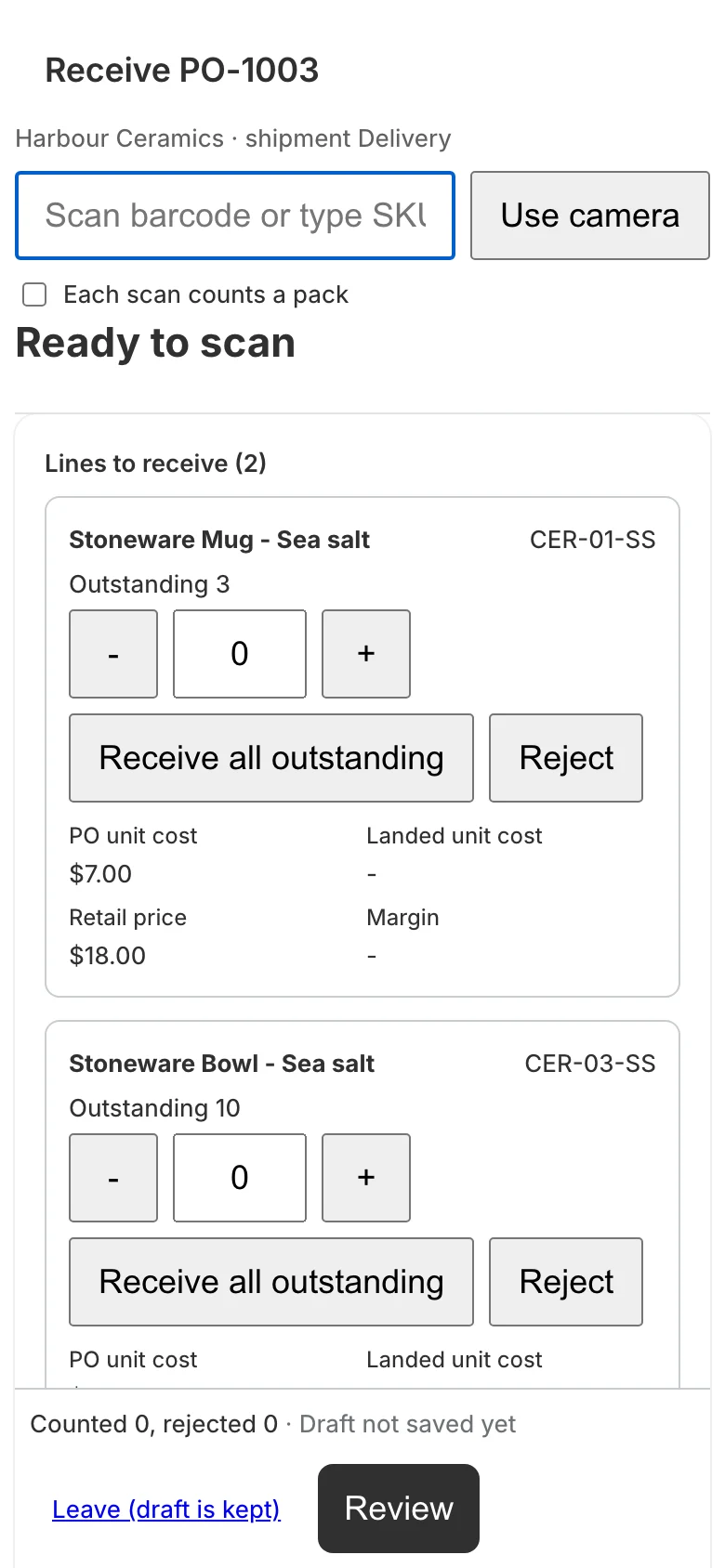
Scan a barcode or tap quantities. Receive in full or in part, reject damaged units with a reason, and share freight and duty across the goods. Receiving adds the accepted units to your Shopify stock at the location you chose.
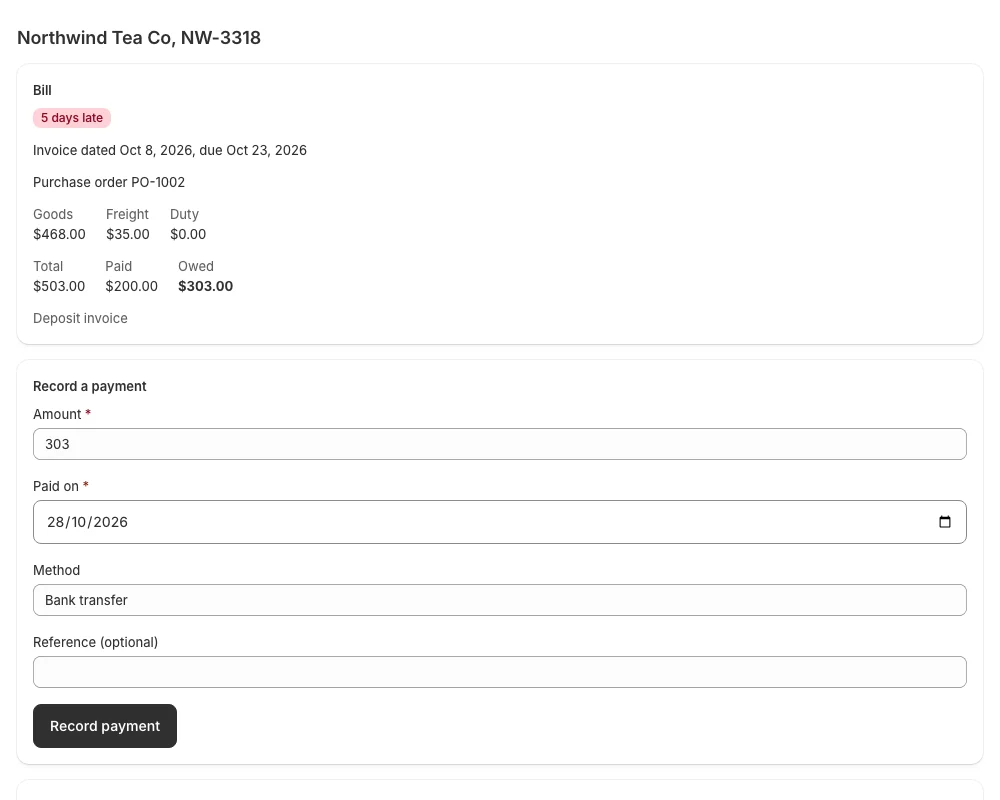
Pay for it
Record the supplier bill, then payments against it. See what you owe and what is overdue. A payment made by mistake is voided with a reason and stays on record, and every bill and payment is posted to simple accounts.
Count it
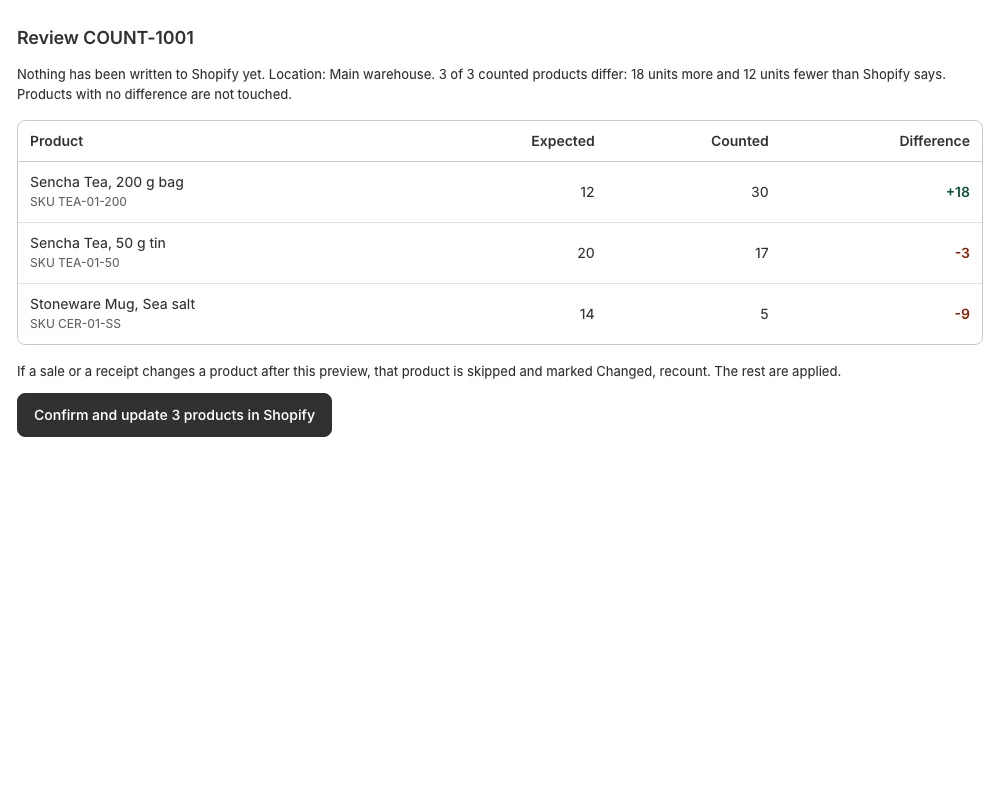
Count a location, review every difference, and update Shopify stock only when you confirm. A product whose stock moved since the review is marked for a recount, not overwritten.
Plans in the new version
The version on Shopify today does not have these plans. The new version is coming, and its Free plan will have no time limit.
Free
0 USD
- Demand planning with reorder suggestions and CSV download
- Supplier bills, payments, payables aging and voiding a payment
- Accounting: accounts, journal, trial balance, supplier balances
- Suppliers with terms, lead time, category, phone and address
- Purchase orders made in Wharfly, with up to 5 receipts a month
Standard
9.99 USD a month
- Unlimited receipts, with partial and damaged units
- Landed cost: share freight and duty by value, quantity or weight
- Purchase order PDF and CSV, receipt PDF and CSV
- Stock counts with a difference preview and a confirm step
- Price labels with barcodes
- Supplier SKU import, supplier scorecard, reports with CSV
- FIFO cost layers, multiple locations, cost history export
- A daily Slack summary
AI
29.99 USD a month
- Connect your own AI assistant, such as Claude or ChatGPT
- It can suggest changes; you approve every one
- See what it read and suggested, and disconnect at any time
Prices are in US dollars, billed monthly through Shopify. Plain pricing.
AI plan, new version
An assistant that only suggests. You approve.
Wharfly has no AI of its own. On the AI plan you can connect an assistant you already use, such as Claude or ChatGPT.
- It can read your purchase orders, supplier terms and recent receipts.
- It can suggest four kinds of change: an expected date, an order note, a supplier lead time and a supplier note.
- Nothing changes until you press Approve. The connector accepts only these four kinds of suggestion, so it has no way to change prices, stock, Shopify orders or accounting.
- You see everything it read and suggested, and you can disconnect it at any time.
Built for phone sized screens
Pages fit a phone screen 375 pixels wide without sideways scrolling. The buttons and fields used for counting, receiving and bills are at least 44 pixels tall, and quantity fields open the number keypad. Counts are kept as a draft while you work.
- Reads your products, inventory and locations, and order quantities if you allow it.
- Does not request customer names, emails or addresses. The order request asks only for the order id, date, cancelled flag and line quantities, and a test checks it.
- Plain pricing: Free, 9.99 USD or 29.99 USD a month.
- Privacy policy
- support@wharfly.app
Questions
Does Wharfly create purchase orders?
Yes. You make purchase orders in Wharfly, send them, and receive the goods. Wharfly does not email your supplier for you.
Does receiving change my Shopify stock?
Yes, and only when you submit a receipt. It adds the accepted units at the location you chose, as an addition to the quantity, not by setting a new total. A receipt you reverse puts the units back.
Can I try it first?
The new version is coming. Its Free plan will have no time limit. It includes demand planning, accounting, supplier bills, suppliers and 25 new entries a month across purchase orders, shipments or receipts, bills and manual journal entries.
What does Wharfly read from my store?
Products, inventory and locations. If you allow it, the quantity sold per product per day from your orders. It does not request customer names, emails or addresses. The order request asks only for the order id, date, cancelled flag and line quantities.
Where do I get help?
Write to support@wharfly.app or read the support page. We reply within two business days.
The new version is coming.
The current version on Shopify does not have the plans on this page. You can install it now.