Wharfly / Browser extensions / Developer and design tools
PixelRuler
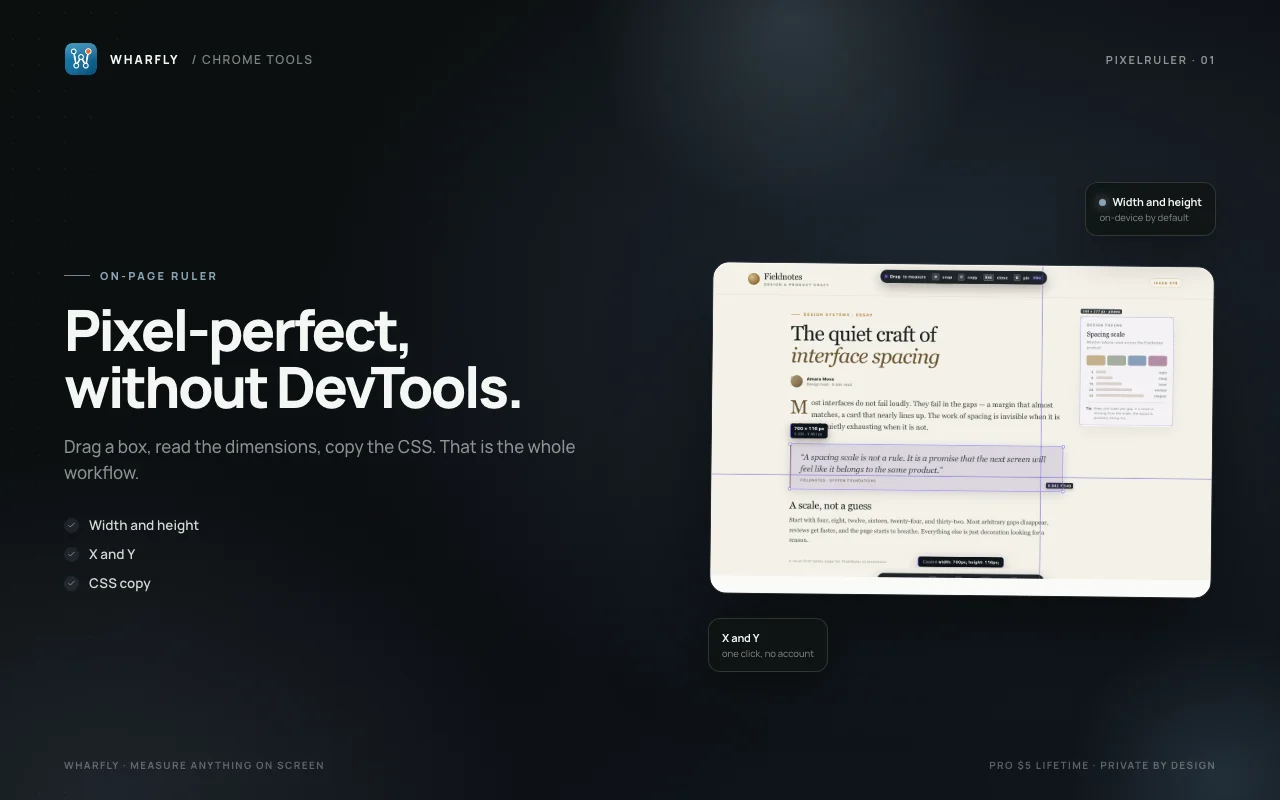
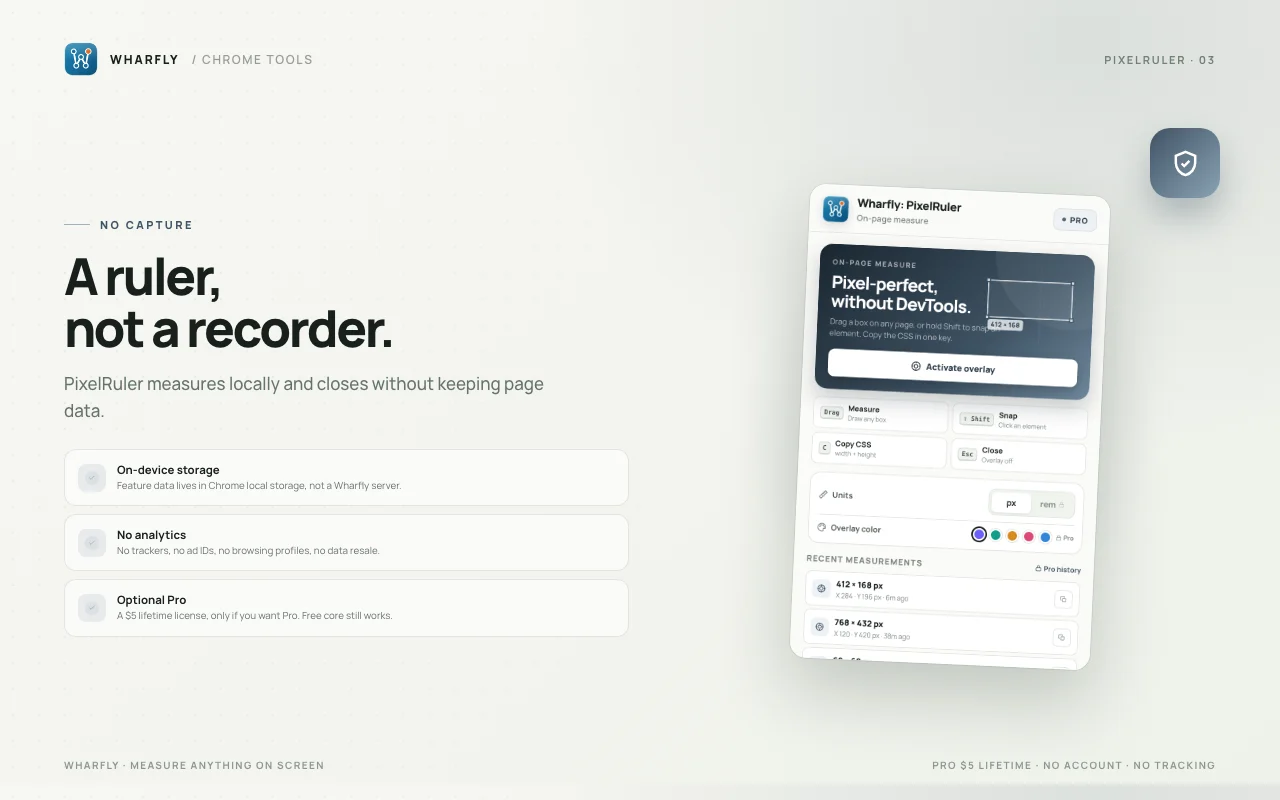
PixelRuler puts a measurement overlay on any page. Drag to measure width, height, and position, or hold Shift to snap to the element beneath your cursor. Copy the result as CSS.
This extension is still being finished. There is no install button until a store lists it. Pro on Gumroad opens when it is live.
What it does
- Drag to measure any box on the page
- See width, height, x, and y in pixels
- Hold Shift to snap to an element
- Copy width and height as CSS
- Esc closes the overlay instantly
Free and Pro
Free
0 USD
Freehand measurement, element snap, and CSS copy.
Pro
5 USD, one time
- Multiple pinned guides
- Rem to px conversion using the root font size
- Measurement history
- Custom overlay color
Bought on Gumroad. You get a license key by email and paste it into the extension. Opens when the extension is live.
Screens

Where it is available
Version 1.0.0.
| Chrome Web Store | Draft, not submitted |
|---|---|
| Microsoft Edge Add-ons | Built, not submitted |
| Firefox Add-ons | Built, not submitted |
| Pro license | 5 USD once on Gumroad, opens when the extension is live |
How we handle data
- Settings and saved items are stored by the extension in your browser.
- A Pro activation checks the license key with Gumroad.
- A Pro license key is checked with Gumroad.
- Privacy policy for this extension
- Support
- Privacy policy
- support@wharfly.app